APK.GOLD
Apk files for Android
Short info
In general apk file File Manager has rating is 9.1 from 10. This is cumulative rating, most best apps on google play store have rating 8 from 10. Total reviews in google play store 725685. Total number of five star reviews received 531655. This app has been rated like bad by 18855 number of users. Estimated number of downloads range between 50,000,000+ in google play store File Manager located in category Tools, with tags and has been developed by ZenUI, ASUS Computer Inc.. You can visit their website http://www.asus.com or send zenui@asus.com to them. File Manager can be installed on android devices with 4.1(Jelly Bean)+. We provide only original apk files. If any of materials on this site violates your rights, report us You could also download apk of File Manager and run it on android emulators like bluestacks or koplayer. Versions of File Manager apk available on our site: 2.0.0.397_180123, 2.0.0.389_170803, 2.0.0.361S364_170315. Last version of File Manager is 2.0.0.397_180123 was uploaded February 10, 2018
Screenshots of File Manager
  • File Manager
  • File Manager
  • File Manager
  • File Manager
  • File Manager
  • File Manager
  • File Manager
  • File Manager
  • File Manager
  • File Manager
  • File Manager
  • File Manager
  • File Manager
  • File Manager
  • File Manager
Description of File Manager (from google play)

Manage your files efficiently and easily with ASUS File Manager! ASUS File Manager helps you handle all your files whether they are stored in your device's memory, microSD card, local area network, and cloud storage accounts.
By default, ASUS File Manager allows you to copy, move, rename, delete or share files to and from any of your storages. It also lets you browse and access your files by category.
Key features
Experience and enjoy these features that ASUS Manager has to offer:
- Your light and savvy file explorer: Search, access, save, move, delete, or share files that are stored in your smart device's internal storage to or from a microSD card, LAN, or Cloud storage accounts and vice-versa.
- Access files in LAN and SMB: Manage files within your LAN (local area network) and SMB (Samba) network.
- More storage options via Cloud storages: Supports cloud storage accounts such as ASUS WebStorage, Dropbox, Google Drive and Microsoft OneDrive
- Suave and smooth multimedia streamlining: Stream multimedia files such as music or videos or open documents, pictures, or photos stored in any of your Cloud storage accounts
- Save disk space by packaging files: Compress files to save space of your storage and extract compressed files in Zip and RAR formats
- Easy file browsing: Browse files easily by category right from File Manager’s home screen: images, videos, music, applications, downloaded, and favorites.
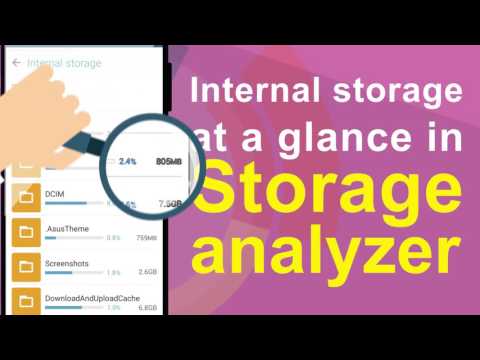
- Disk tools: Storage analyzer, recycle bin and hidden cabinet let you manage your disk easily.

Version history File Manager
New in File Manager 2.0.0.397_180123
v2.0.0.397- Bug fixes- Performance improvementv2.2.0.236- Brand new ZenUI 4.0 design- Fast path navigation- Add bottom toolbar- Support theme change- Support app & pinned shortcut- Fix bugs
Advertisement
Please rate this app
More info

PermissionsFile Manager 2.0.0.397_180123

Nothing high-risk in this APK

  1. No alerts
  2. Worth checking
  3. High risk

Alerts

No alerts for this file

16 permissions in total

Source: AndroidManifest.xml of this APK

Needs your OK3

Contacts and accounts

  • Find accounts on the device

Files

  • Read the contents of your shared storage
  • Modify or delete the contents of your shared storage
Given at install13
  • Add or remove accounts up to Android 6.0
  • Connect and disconnect from Wi-Fi
  • Create accounts and set passwords up to Android 6.0
  • Expand/collapse status bar
  • Have full network access
  • Install shortcuts Android 4.4+
  • Prevent phone from sleeping
  • Receive push messages
  • Retrieve running apps
  • Use accounts on the device up to Android 6.0
  • Use fingerprint hardware Android 6.0+
  • View network connections
  • View Wi-Fi connections

Device must have

Any Android device will do

Permission changes

The list has not changed since version 2.0.0.361S364_170315.

Android Version Requirements for File Manager

How the minimum Android version needed by File Manager has changed across the versions in the apk.gold catalog. Tap a point on the chart to check a specific version.

2.0.0.397_180123Feb 10, 2018Android 4.1+, target 7.0
Minimum AndroidTarget AndroidLast update: Feb 2018

The current File Manager 2.0.0.397_180123 runs on Android 4.1 and later and targets Android 7.0.

Other File Manager APK versions for android 12
Popular android apps